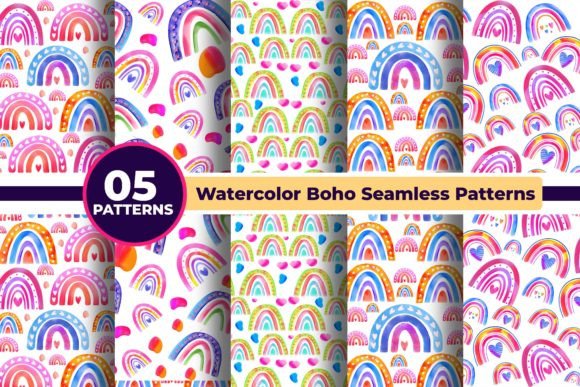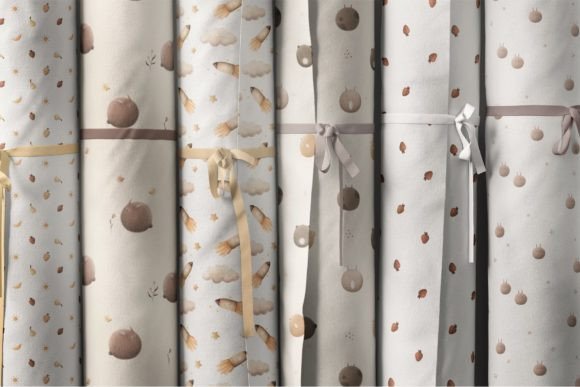
Baby Patterns: Seamless, High-Resolution Designs for Real Creative Work
Whether you’re designing a custom onesie for your Etsy shop, refreshing a pediatric clinic’s waiting room, or launching a line of organic cotton baby blankets, Baby Patterns offers more than just “cute”—it delivers professional-grade, ready-to-use seamless patterns built for real-world application. This curated collection includes 12 distinct designs—think soft clouds, gentle animals, playful stars, and tender botanical motifs—all crafted with intention: high-resolution (4000 × 4000 px), 300 DPI, and delivered in PNG (with transparent backgrounds), PSD, and JPEG formats. That means no guesswork when scaling for fabric printing, packaging mockups, or nursery wall decals.
Why Beginners and Pros Both Reach for Baby Patterns—And Why It Makes Sense
New designers often assume “baby-themed” assets are simple or low-effort—but that’s where expectations misalign with execution. A poorly scaled or low-DPI pattern can pixelate on a 36-inch quilt panel; an opaque background forces tedious masking before printing on pastel linen; a non-seamless file creates visible repeats that distract rather than delight. Baby Patterns avoids those pitfalls by design: every file is raster-based (ideal for rich texture and subtle gradients), truly seamless (tested across tile boundaries), and delivered at print-ready resolution. That’s why educators use them for classroom posters, small business owners apply them to subscription box inserts, and freelance surface designers layer them into textile development workflows.
A Common Misstep: Assuming “Cute” Means “Universal”
Not all baby-friendly visuals translate well across contexts. A pattern with bold outlines and saturated colors may energize a toddler’s playroom but feel overwhelming in a newborn’s sleep space. Some creators download the first “baby animal” set they find—only to realize later it lacks transparency, uses inconsistent line weights, or repeats too tightly for fabric yardage. Worse, others overlook format limitations: JPEGs can’t support transparency, so using them for sticker sheets or layered digital mockups requires extra editing time and risks quality loss.
What to check before downloading or buying:
- Transparency needs? Confirm PNG files are included—and verify they actually render cleanly (some “transparent” PNGs contain faint white halos or compression artifacts).
- Scale flexibility? At 4000 × 4000 px, these patterns hold up when enlarged for wallpaper or reduced for embroidery guides—but always test a 10% sample tile in your intended software (e.g., Adobe Illustrator’s Pattern Options or Procreate’s canvas settings) before committing to full production.
- Color mode compatibility? While RGB works fine for web and screen-based previews, switch to CMYK if prepping for commercial print—and adjust contrast accordingly, since baby palettes often rely on soft tones that can mute on press.
Another Overlooked Detail: How You’ll Actually Use the Files
It’s easy to focus on aesthetics and forget workflow fit. For example, if you’re designing reusable cloth diapers, you’ll want predictable repeat spacing—so test how the pattern aligns across seam allowances. If you're building Shopify product banners, a 4000 px file gives headroom for cropping and responsive resizing, but loading massive PNGs directly into web builders can slow load times. The smarter move? Export optimized web versions (e.g., 1200 px wide, compressed PNG-8) from the original PSD or high-res PNG—preserving quality where it matters most, without sacrificing performance.
Similarly, some users assume PSD files are only for Photoshop pros. Not true: even beginners benefit from layered PSDs. One designer used the layered cloud pattern to isolate the sky background, recolor it to match her brand’s muted sage palette, and re-export as a custom SVG for laser-cut nursery signage—all in under 15 minutes.
Mistake to Avoid: Skipping the “Test Tile” Step
Seamless doesn’t always mean *invisible*. Subtle inconsistencies—a stray pixel, uneven spacing between elements, or mismatched edge gradients—can become glaring once tiled across a large surface. One small business owner discovered this the hard way after ordering 50 yards of fabric: the pattern repeated cleanly on screen, but in physical form, tiny gaps appeared between bunnies along the vertical seam.
Better approach: Before finalizing any project, create a 2×2 tile grid in your design software and zoom to 200%. Scroll slowly across seams—both horizontally and vertically. Look for shifts in alignment, color bleed, or unexpected overlaps. If something feels “off,” revisit the source file or adjust the tile offset. With Baby Patterns, this step is rarely needed—but it’s still good practice, especially when adapting designs for unusual substrates like corkboard or ceramic tile.
Realistic Expectations for Raster vs. Vector
These illustrations are raster-based—not vector—and that’s intentional. Raster allows for delicate watercolor textures, soft shadows, and nuanced blending that vector paths struggle to replicate authentically. But it also means you shouldn’t expect infinite scalability *without* some trade-offs. Scaling beyond 200% of original size may require slight sharpening or noise reduction in post-processing. That said, at standard garment, packaging, or interior scales (up to 60 inches wide), the 4000 px resolution holds up beautifully—even on matte-finish fabric or uncoated paper stock.
If your work regularly demands extreme enlargement (e.g., trade show backdrops), consider pairing one Baby Patterns motif with a simplified vector outline version—or use the PSD layers to extract key shapes for tracing. Many users do exactly that: start with the warmth and character of the raster file, then build scalable derivatives from its strongest elements.
Final Thought: Choose Tools That Grow With Your Projects
Baby Patterns isn’t just about finishing a single task—it’s about setting up your creative process for consistency and confidence. When your files include transparent PNGs, editable PSDs, and high-res JPEGs, you’re not just buying patterns—you’re investing in flexibility. You avoid last-minute scrambles to fix backgrounds, reduce revision rounds with clients who need mockups fast, and sidestep costly reprint fees caused by resolution mismatches.
So whether you're sketching your first baby shower invitation or scaling a boutique textile brand, let the quality of the source asset do quiet, reliable work for you. That’s the real value of thoughtful design resources: they don’t shout—they support.