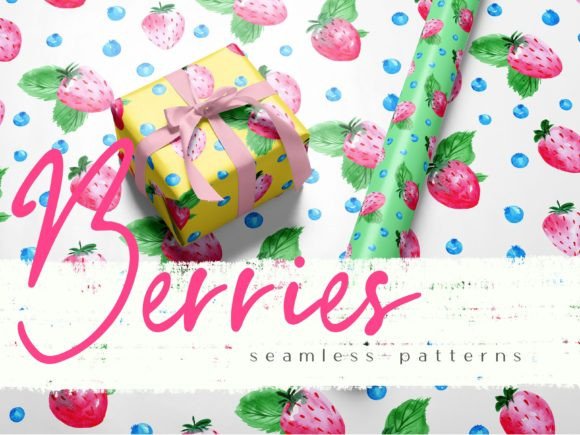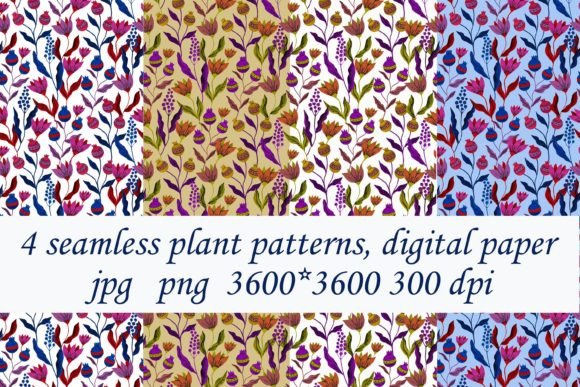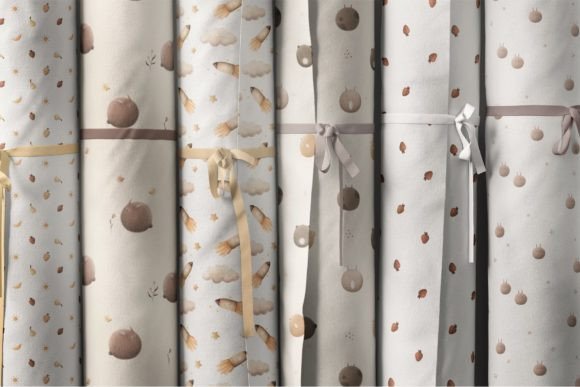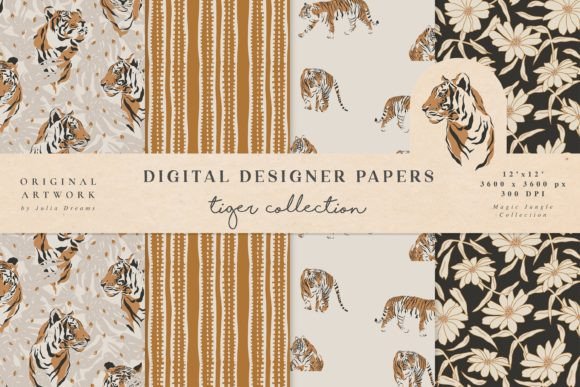
Animal and Springtime Seamless Patterns
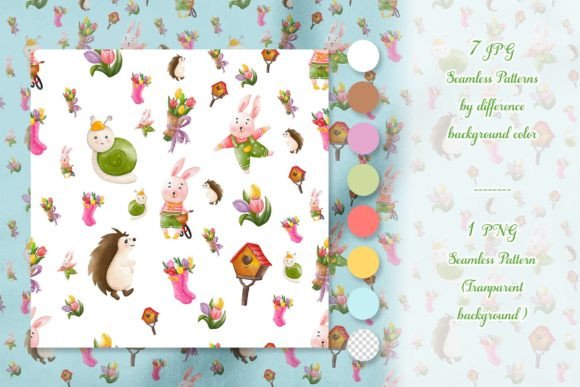
Animal and Springtime Seamless Patterns is a curated digital asset pack designed for creators who need versatile, high-quality surface designs that integrate cleanly into real-world production workflows. It’s not just decorative—it’s functional infrastructure: a set of 5 core seamless patterns, expanded with 7 JPG variations across distinct background colors (blue, brown, green, magenta, red, white, yellow), plus 1 transparent PNG version. This structure anticipates common production requirements—whether you’re prepping files for print, sublimation, web display, or layered digital compositing.
Where It Fits in Your Creative or Business Workflow
This pack enters your process where consistency meets scalability. Before launching a product line—say, a set of spring-themed greeting cards or reusable fabric totes—you’ll likely finalize branding, color palettes, and messaging. Animal and Springtime Seamless Patterns bridges the gap between concept and execution: once those decisions are locked in, you can match pattern variants to your chosen palette (e.g., the green-background JPG for eco-conscious packaging, the white-background version for clean stationery mockups) without reworking base assets. That reduces iteration time and preserves visual cohesion across touchpoints.
During active design work, it functions as a reliable, non-destructive layer. Unlike rasterized illustrations or one-off textures, these are true seamless repeats—meaning they tile infinitely without visible seams or distortion. You can scale them up for wallpaper or down for business card borders without quality loss. That reliability matters when working under deadline pressure or collaborating across tools: a designer using Adobe Illustrator can place the transparent PNG over vector typography; a marketer building Canva templates can drop in the blue-background JPG as a slide background; a small-batch textile printer can import the magenta variant directly into RIP software with no additional prep.
Integration Across Tools and Platforms
Compatibility isn’t assumed—it’s built in. The inclusion of both JPG and PNG formats addresses platform-specific constraints. JPGs deliver fast load times and broad support for email newsletters, social media banners, and printed materials where transparency isn’t needed. The single PNG with transparent background enables precise layering in Figma, Photoshop, or even PowerPoint—ideal for educators building interactive lesson slides or freelancers assembling client presentation decks with branded backgrounds.
For sublimation users, the color-specific JPGs simplify color management. Instead of manually adjusting hue/saturation on a single file to match substrate tones, you select the variant already aligned with your target output (e.g., brown for kraft paper packaging, yellow for cheerful kids’ apparel). That cuts down on test prints and color correction cycles. Similarly, print-on-demand sellers benefit from having ready-to-upload files sized to common product dimensions—no resizing guesswork or DPI recalculations mid-upload.
Practical Implementation Tips
Organize by use case, not just color. Create folders labeled “Printables,” “Sublimation,” “Web/UI,” and “Transparency-Required” rather than grouping solely by hue. Drag each relevant variant into its folder during initial setup. This saves seconds per project—but those seconds compound across dozens of uses.
Test tiling early. Even with seamless patterns, subtle misalignment can occur depending on software settings (e.g., Illustrator’s “Pattern Options” panel vs. Photoshop’s “Define Pattern” command). Place a 2×2 tile grid at 100% zoom before finalizing layouts. If edges don’t blend, adjust the pattern’s bounding box—not the artwork itself.
Leverage transparency for hierarchy. Use the PNG version to create depth: overlay it at 15–30% opacity behind bold headlines in digital reports or pitch decks. The animal motifs add texture without competing for attention—supporting readability while reinforcing seasonal tone.
Batch-process for efficiency. If you regularly produce multiple products (e.g., matching postcards, stickers, and notebook covers), apply the same pattern variant across all items first. Then adjust only text, logos, or accent elements. Consistency here signals professionalism to customers—and reduces cognitive load for you when reviewing proofs.
Quality Control and Long-Term Usability
These patterns hold up because they balance detail with clarity. The animal motifs—bunnies, foxes, birds, hedgehogs—are stylized enough to avoid photorealistic rendering limits but detailed enough to retain character at small scales (e.g., 0.5-inch repeat units on fabric swatches). That makes them suitable for both macro applications (wall murals) and micro ones (icon backgrounds or watermark overlays).
Long-term, the value compounds through reuse. A teacher might use the green-background pattern for spring science unit handouts one year, then repurpose the transparent version as a subtle overlay on student award certificates the next. A boutique owner could launch a limited-run textile collection using the brown variant, then shift to the white-background JPG for minimalist gift tags in fall—keeping the same underlying motif language while adapting to seasonal shifts.
That flexibility relies on thoughtful preparation: naming files descriptively (“animal-spring-green-jpg”, “animal-spring-transparent-png”) avoids confusion months later. Embedding metadata (copyright, license terms, source) into the files themselves—using built-in IPTC fields in Photoshop or Bridge—also streamlines audits if assets move across teams or platforms.
Real-World Workflow Examples
- Freelance Stationery Designer: Starts client onboarding by sharing a mood board built entirely from the 7 JPG variants—each representing a potential direction (e.g., “vibrant” = magenta, “calm” = blue). Once approved, drops the selected variant into InDesign templates, adjusts spacing and type hierarchy, and exports print-ready PDF/X-4 files—all within one afternoon.
- Small-Business Owner (Eco-Friendly Goods): Uses the brown-background pattern as a base for compostable mailer labels, then applies the transparent version over product photography in Instagram Stories to unify feed aesthetics. No new design hours required—just consistent application.
- Curriculum Developer: Imports the green-background JPG into Google Slides as a master slide background. Adds animated transitions and embeds interactive quizzes—keeping visual continuity across 12 lessons on life cycles and habitats without redesigning each slide deck from scratch.
None of this requires mastering complex software or learning new design theory. It assumes you already know how to place an image, adjust opacity, or export a PDF. Animal and Springtime Seamless Patterns works *with* that knowledge—not around it.
The patterns don’t replace strategy or craftsmanship. They reduce friction where repetition would otherwise drain energy: aligning colors, testing repeats, converting formats, or rebuilding assets for new outputs. That reclaimed time becomes space for refining copy, improving user experience, or deepening client relationships—activities no pattern can automate, but which flourish when foundational tasks run smoothly.
When you choose Animal and Springtime Seamless Patterns, you’re selecting infrastructure—not decoration. It’s the quiet consistency behind polished deliverables, the repeatable element that lets your stronger ideas take center stage.